Energy-aware scheduling: the idea behind Flow
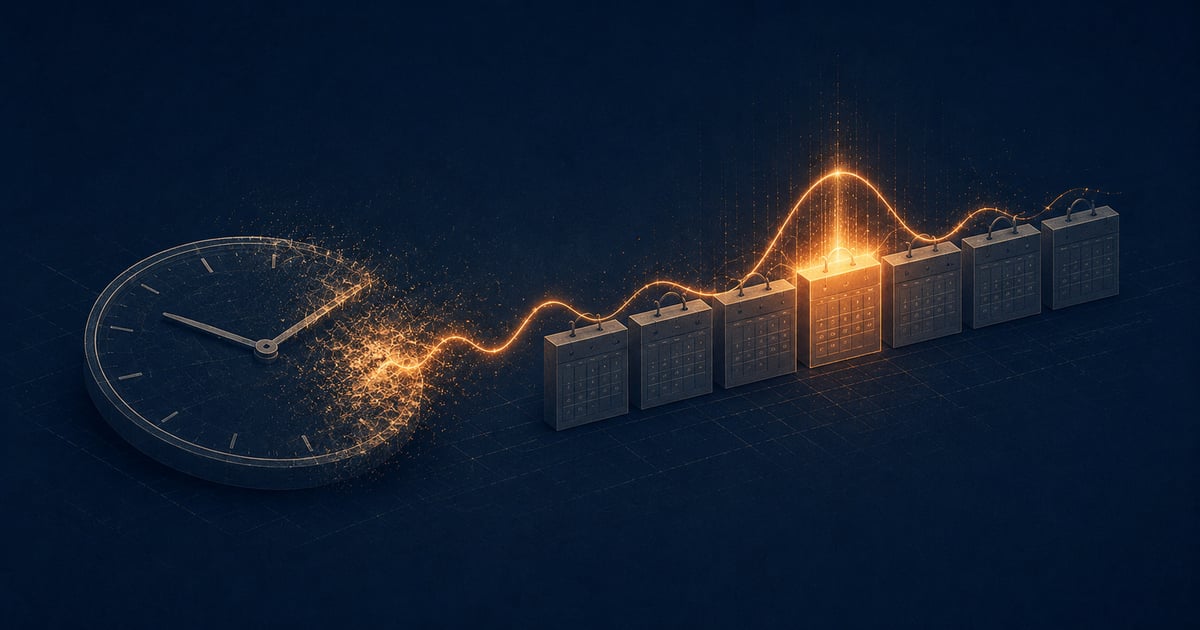
Most productivity tools treat time as the unit of work. Block off two hours, set a timer, go. The assumption is that an hour at 9am is the same as an hour at 3pm, and that the problem is simply not having enough of them.
That assumption is wrong. I think it explains why a lot of people feel busy all day and still end the week wondering what they actually got done.
The clock is the wrong unit
A calendar slot and a unit of cognitive capacity are not the same thing. You probably know this from experience: there are stretches of the day when hard thinking feels natural, and other stretches when you are mostly going through motions. The research on ultradian rhythms and cognitive performance backs this up, but you do not need a paper citation to recognize it. You feel it every day.
The dominant response to this has been the timer. Set a 25-minute Pomodoro, take a break, repeat. The logic is that a constraint forces focus, and for some people it helps. But a timer is still a clock-based tool. It tells you when to work, not whether your brain is ready to. I wrote more about this in Why Pomodoro fails for deep work: the fixed interval optimizes for output rate, not output quality. For shallow tasks that is fine. For hard thinking, it is often the wrong lever.
Energy-aware scheduling starts from a different premise. The question is not “when does my calendar have space?” It is “when is my capacity high enough for the work that actually matters?”
What signals Flow reads
Flow is built around three sources of signal.
Your Google Calendar. This is the ground truth of your day. Meetings, commitments, fixed constraints, they are all already in there. Flow reads your calendar not to fill in gaps around it, but to understand the real shape of your available time and to spot when that shape has changed.
Time of day and your energy curve. Most people have a rough pattern: sharper in the morning, slower after lunch, sometimes a late-afternoon recovery. Flow uses this as a starting model. Over time, as it sees how you actually work across many days, it adjusts that model to fit you specifically. The curve is a hypothesis at first. Then it becomes evidence.
Biometrics, optionally. If you use a wearable that tracks HRV or resting heart rate, Flow can factor that in. This is a lighter signal than it might sound. It is one more data point, not a directive. On a day when your recovery numbers are low, that is relevant context. But you decide what to do with it. The feature is optional and will always be optional. I am not building a tool that tells you whether you are allowed to do hard work today.
Together, these three signals give Flow a picture of your day that a plain calendar cannot: not just when you are free, but roughly when that free time coincides with the capacity to use it well.
The scheduling loop
Flow works in a loop with three stages.
The first is planning. At the start of the day, you look at what needs to get done and what the day’s energy curve looks like. Flow surfaces that picture (your high-capacity windows, your meeting gaps, the likely energy troughs) so you can place tasks where they fit, not just where they fit on the clock.
The second stage is the one most tools skip: adaptation. Real days do not follow plans. A meeting runs long. An urgent issue arrives mid-morning. You meant to start deep work at 10am and it is now noon. Most apps just sit there while your plan falls apart. Flow is designed to reflow. It looks at what has shifted and offers a revised picture of the rest of the day.
This is the part I find most interesting to build. I covered a specific version of it in When your calendar should adapt after a meeting overruns: the moment a meeting spills past its slot, the rest of the day has changed, and your tool should acknowledge that rather than pretending the original plan still holds. Adaptation is not a failure state. It is just how days go.
The third stage is learning. Over time, Flow accumulates a record of when your deep work actually happened and how it went. That record feeds back into the energy model. The goal is that after weeks of use, the plan Flow helps you build each morning is better calibrated to you than it was in week one. Not because the algorithm got smarter in the abstract, but because it has more of your actual history to work from.
Honest limits
I want to be direct about what this approach cannot do.
Flow is assistive. It surfaces information, offers a picture of your day, and proposes a structure. It does not control your schedule. You make every call about what to work on and when. The app does not lock you into blocks or penalize you for deviating. If you look at the suggested plan and decide to do something different, that is the right outcome. You know your situation better than any model does.
The energy curve, at least early on, is a rough model. The defaults are based on what tends to be true for a lot of people. They are not calibrated to you yet. Calibration happens gradually, as you use the tool and the feedback loop builds up real data. Week one will be less accurate than week eight. That is honest, and I think it is worth saying clearly.
Biometrics add nuance but not certainty. HRV in particular is noisy. A low score might mean you are fatigued. It might mean you slept in an unusual position. Flow treats it as a weak signal, not a verdict.
And finally: no scheduling system replaces the hard choices about what work is worth doing. Flow can help you protect time for deep work. It cannot tell you which projects matter. That is still your job.
Where this is heading
The version of Flow that exists right now is early. The calendar integration works. The energy curve is there. The reflow logic is being refined. What I am building toward is a tool where the daily planning loop becomes fast and reliable enough that you actually trust it. Where looking at your day in Flow feels more honest than looking at a calendar, because a calendar only shows time and Flow shows capacity.
I think there is a category of tool here that does not really exist yet. No time-tracker, no timer app, no project manager. Something closer to a daily co-pilot for knowledge work, built around the reality that your brain is not a flat resource and your day is not a grid of equal slots.
That is the bet. If it resonates, you can follow the build and join the early list at flowdeep.app. I am building this in public and the people who sign up early shape what it becomes.
Join the conversation